AI Skin Color Changer for Realistic Skin Tone Editing

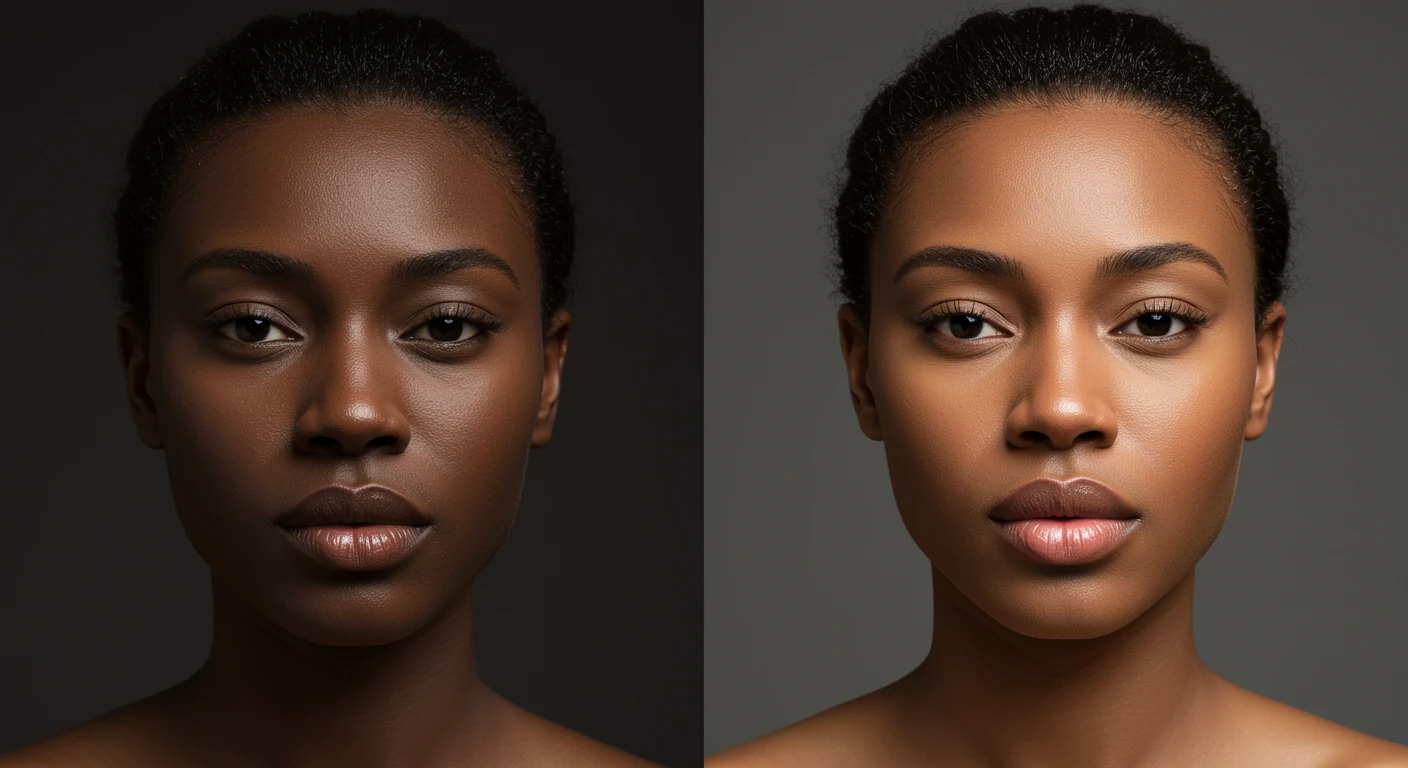
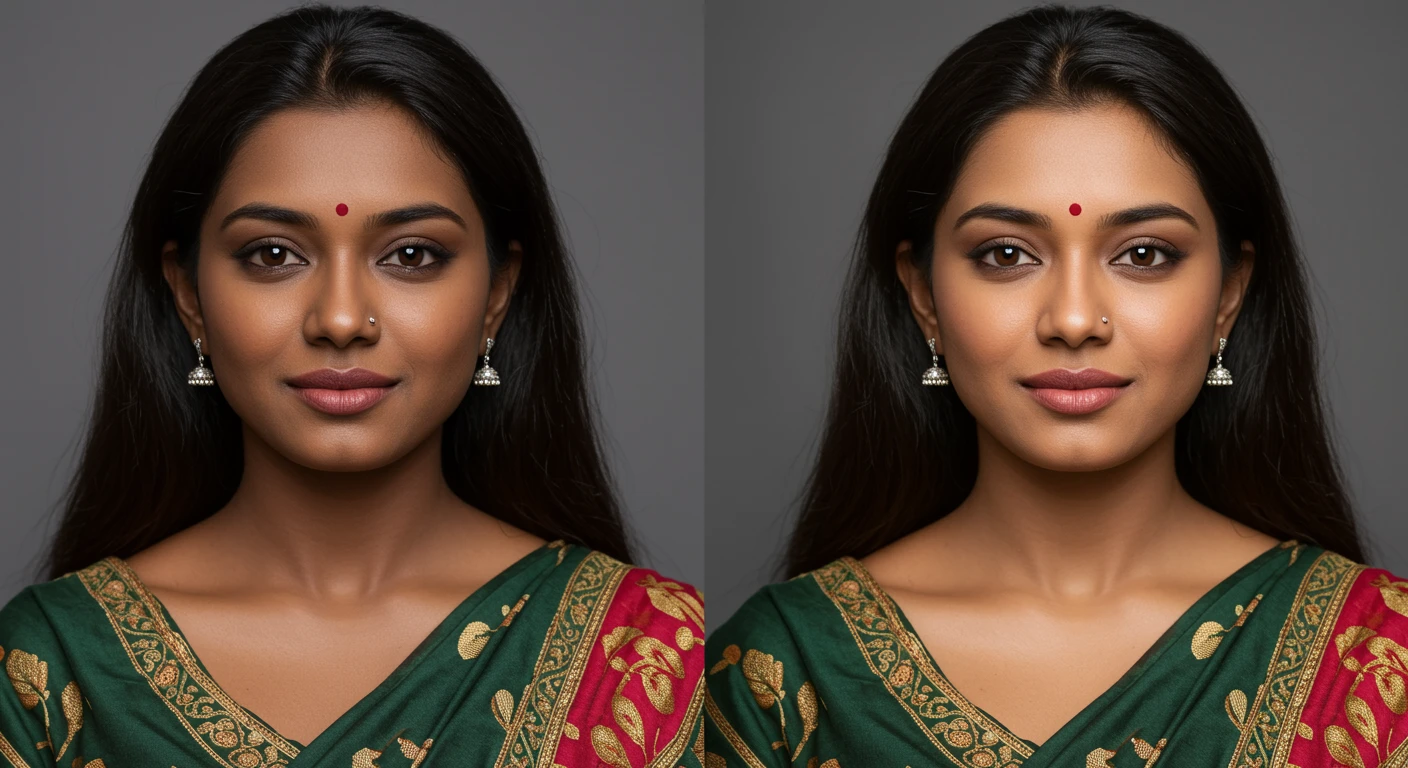
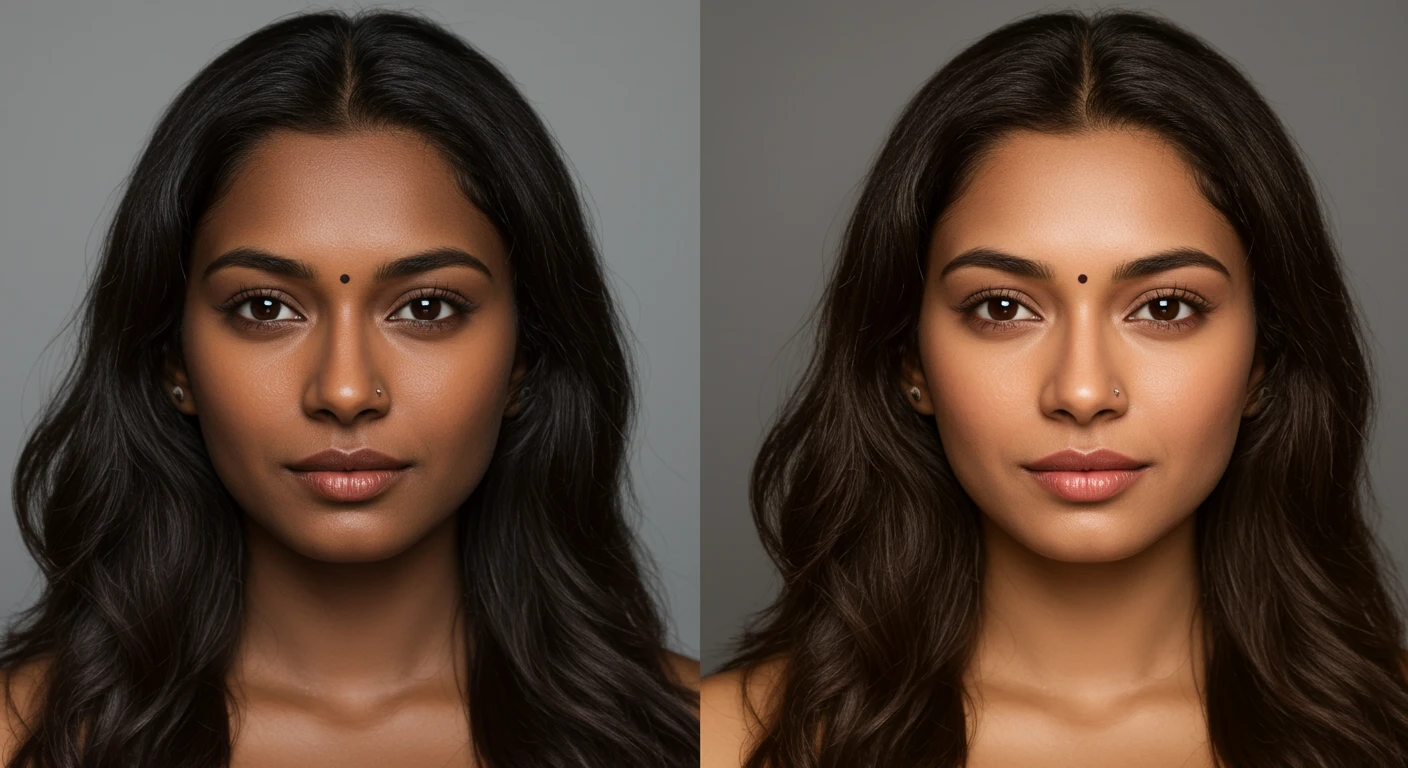
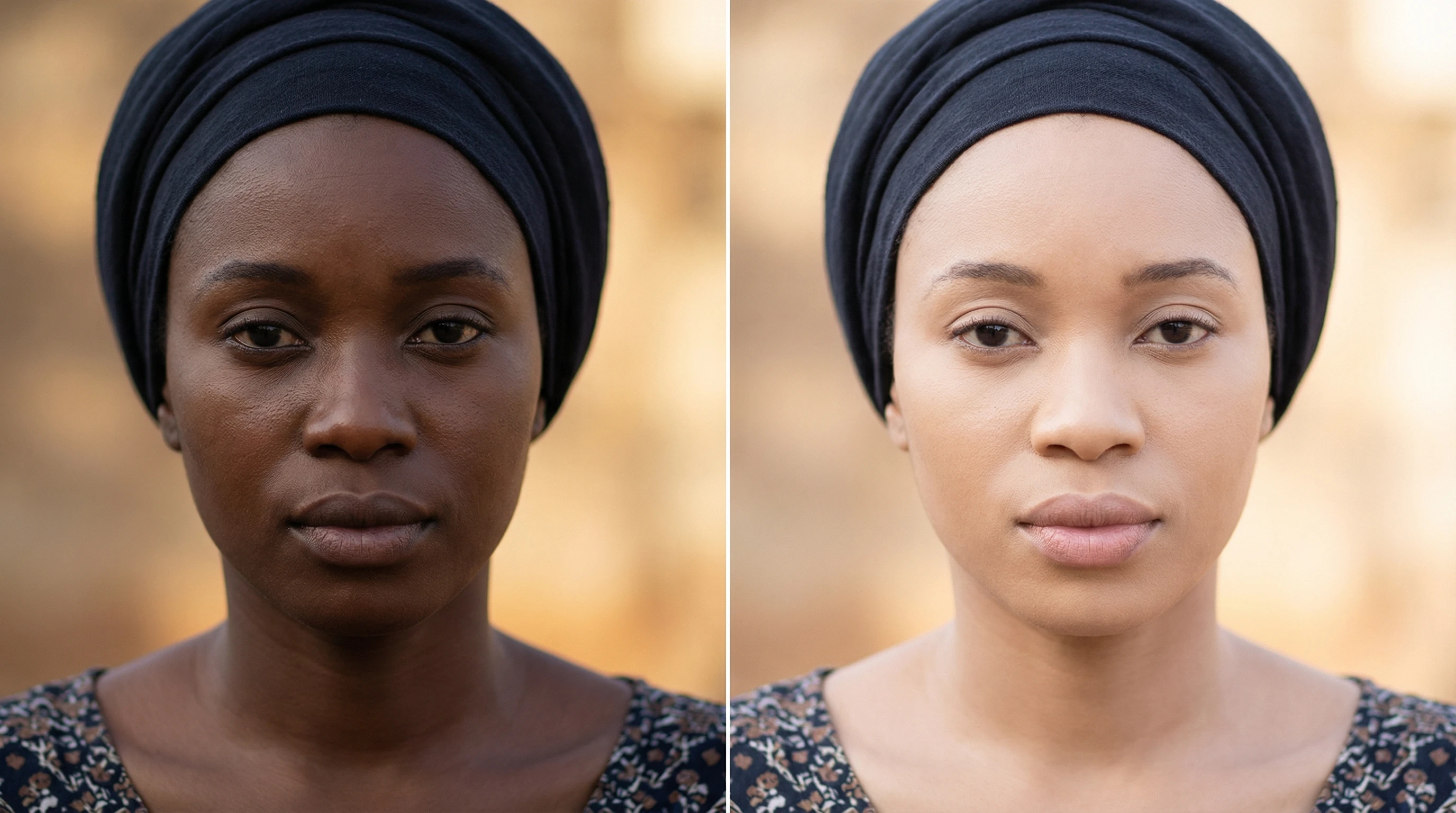
Transform photos with our AI skin color changer that adjusts skin tone naturally while preserving facial details, lighting, and texture.

Upload your photo

Drag and drop your JPG or PNG image here, or click to browse files

No account required. By uploading, you agree to our Terms of Service.

Core Features of AI Skin Color Changer

Advanced technology designed for flawless, high-resolution results every time.

Realistic AI Skin Tone Adjustment

Realistic AI Skin Tone Adjustment

Change skin color naturally using an advanced AI skin color changer that blends new skin tones smoothly while keeping natural texture, shadows, and facial details intact.

Precise Face & Skin Detection

Precise Face & Skin Detection

The AI accurately detects face and skin areas in photos, ensuring clean and consistent skin tone changes without affecting hair, eyes, or background elements.

Natural-Looking Results for Any Photo

Natural-Looking Results for Any Photo

Edit skin tone in photos with realistic results that match lighting and skin texture, making the final image look natural, balanced, and visually authentic.

Easy Online Skin Color Editing

Easy Online Skin Color Editing

Change skin color online in just a few steps. Upload a photo, select a skin tone, and generate a clean, high-quality result suitable for portraits, selfies, and profile photos.

How to Use AI Skin Color Changer

No complex software or manual masking required. Just three simple steps to achieve perfect skin tone adjustments.

1

Upload Your Photo

Upload the photo you want to edit. Clear face or portrait photos work best, as they help the AI detect skin areas accurately for natural-looking results.

2

Select Your Skin Tone

Choose your preferred skin tone from the available options. The AI adjusts the skin color smoothly while preserving facial features, lighting, and texture.

3

Generate & Download

Click the Generate button to apply the skin tone change. Once ready, download the high-quality image or use it for social media, profiles, or personal projects.

App Interface

Why Choose Our AI Skin Color Changer

bolt

Natural Skin Tone Changes That Look Real

Our AI skin color changer creates smooth and balanced skin tone changes while keeping natural texture, facial details, and original lighting intact.

auto_fix_high

Smart AI Skin Detection

The tool accurately detects skin areas in photos, ensuring clean edits without affecting hair, eyes, lips, or the background.

face

Works on Faces & Full Photos

From close-up selfies to full portraits, the AI handles different photo types and lighting conditions with consistent results.

devices

Simple & User-Friendly Workflow

No editing skills needed. Upload your photo, select a skin tone, and generate a clean result in just a few easy steps.

money_off

High-Quality Output for Any Use

Get clear, high-resolution results suitable for social media, profile pictures, creative previews, and personal projects.

security

Safe, Private & Secure Editing

Photos are processed securely, and user privacy is respected throughout the editing process.

What People Say About Us

Join thousands of satisfied users who trust our AI to enhance their photos naturally and professionally.

E

Emily Carter

Verified User

"The skin tone changes and looks very natural. The photo still looks like me, just more balanced and realistic."
M

Michael Johnson

Verified User

"I like how simple this tool is. Uploading a photo and selecting a skin tone was easy, and the result looked clean."
S

Sophia Martinez

Verified User

"I tried a few skin tone editors before, but this one gave the most natural-looking results without ruining facial details."
D

Daniel Thompson

Verified User

"The AI detects skin areas perfectly. It didn’t affect my hair or background, which made the edit look professional."
O

Olivia Brown

Verified User

"I used it for a profile picture, and the skin tone looks smooth and realistic. No one noticed it was edited."
J

James Wilson

Verified User

"This tool is great if you want quick and realistic skin tone changes without using complicated photo software."

Frequently Asked Questions

What is an AI skin color changer?expand_more

An AI skin color changer is a tool that uses artificial intelligence to adjust skin tone in photos while keeping facial details and texture natural.

How does the AI skin tone changer work?expand_more

The AI detects skin areas in your photo, applies the selected skin tone smoothly, and keeps lighting and facial features unchanged.

Is this AI skin color changer free to use?expand_more

Yes, you can use the AI skin color changer to edit skin tone in photos without any cost.

Will the skin tone change to look natural?expand_more

Yes, the tool is designed to create realistic skin tone changes that blend well with the original photo lighting and texture.

Does it work on face photos and selfies?expand_more

Yes, the tool works well on face photos, selfies, portraits, and profile pictures.

Will my photo quality be reduced after editing?expand_more

No, the AI maintains image clarity and detail so your edited photo stays sharp and high quality.

Can I try different skin tones on the same photo?expand_more

Yes, you can select and preview different skin tones on the same photo to see which one looks best.

Is my photo safe and private?expand_more

Yes, your photos are processed securely and are not shared with anyone else.

Try the AI Skin Color Changer Now

Transform your photos instantly with professional AI technology. Start editing for free today.

Try AI Skin Color Changer